
Johns Hopkins Antibiotic Guide
Unbound Medicine, IncMedical
4.840.00 Reviews
- Version
- 2.8.52
- Installs
- 50.00K
- Age Rating
- Everyone
Screenshots
Our Review of Johns Hopkins Antibiotic Guide
 Analysis by Appyee
I’d treat Johns Hopkins Antibiotic Guide as a focused clinical reference, not a shortcut to clinical judgment. Its appeal is the combination of antibiotic information, pathogen guidance, and treatment recommendations in one mobile resource. That makes it most useful when I need to orient myself quickly around an infectious-disease question, then confirm the details that matter for the patient in front of me. It is aimed at healthcare professionals; a reader looking for plain-language advice about treating an illness at home will find a much denser and less suitable experience.
A specialist reference with a practical purpose
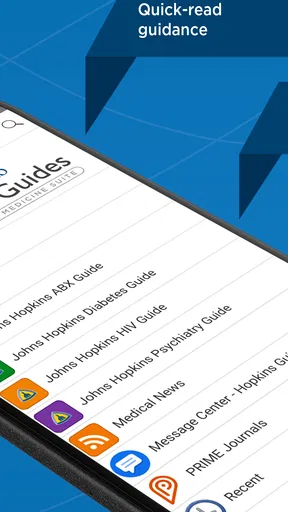
This is a medical app from Unbound Medicine, Inc, and its scope is narrower than that of a general medical encyclopedia. That focus is a strength: rather than trying to cover every aspect of care, it centers on antimicrobial therapy and related topics. The app is free to install, with in-app purchases ranging from $0.99 to $89.99 per item. Its store summary offers a 14-day trial and also mentions HIV, diabetes, and psychiatry guidance, so the available material may extend beyond the antibiotic reference itself.
The app has a 4.8 average from around 1,300 ratings, and it has been installed over 50,000 times. Those figures suggest that it has found an audience among people who want a dedicated clinical reference, but they do not tell me whether a particular paid section fits my needs. I would check what is included in the trial and what requires a purchase before relying on a specific topic for regular work. The age rating is Everyone, but that is not the same as saying the medical content is written for everyone.
Where it can help during a clinical shift
The practical value of an antibiotic guide is not simply having a long list of drugs. It is being able to move from a clinical question to relevant information without losing the thread: a suspected infection raises questions about likely organisms, appropriate treatment, dosing, safety, and alternatives. The guide’s combination of drug, pathogen, and guideline content is designed for that kind of cross-checking. I would use it to structure a review, not as permission to prescribe without considering local protocols, microbiology results, allergies, organ function, or patient-specific factors.
A realistic example is a clinician reviewing an infection between patient appointments. Rather than searching the web broadly and sorting through pages aimed at different audiences, they can consult a focused reference, look up the relevant antimicrobial information, and then compare it with the clinical context and local guidance. That is especially useful when a question is familiar enough to frame clearly but detailed enough that memory alone is not a safe basis for a decision. The app can shorten the lookup; it cannot replace the work of checking whether the recommendation applies.
How it compares with general medical resources
Compared with a paper handbook, a phone-based guide is easier to carry and can make targeted lookup more convenient. Compared with a general search engine, a specialist reference is less likely to bury the user in unrelated material. The trade-off is that a focused guide is not a substitute for a hospital’s local antibiogram, institutional policy, or a clinician’s preferred comprehensive reference. Those sources may be more appropriate when local resistance patterns or a highly specialized case are central to the decision.
I would also keep patient-facing resources separate from this app. Someone who wants to understand why an antibiotic was prescribed, what questions to ask their clinician, or when to seek urgent care needs clear, tailored advice—not a professional reference full of technical terms. The guide may help a student or clinician learn how treatment choices are organized, but it is not a self-diagnosis tool and should not be used to choose or change medication without professional care.
The First Impression
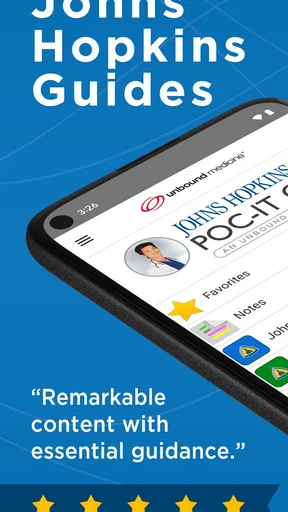
When I first launched the Johns Hopkins Antibiotic Guide, I was greeted with a clean and intuitive interface. It’s not one of those apps that bombard you with unnecessary graphics or ads. Instead, it’s streamlined and professional, which I found refreshing. The main menu offers easy access to various sections like drug information, pathogen details, and clinical guidelines.
Exploring Features
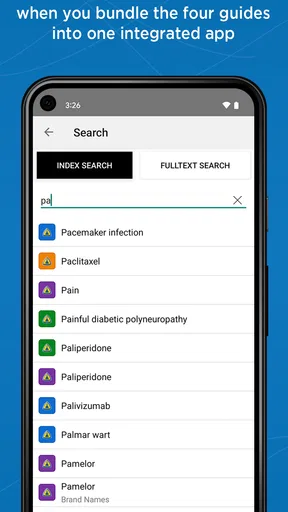
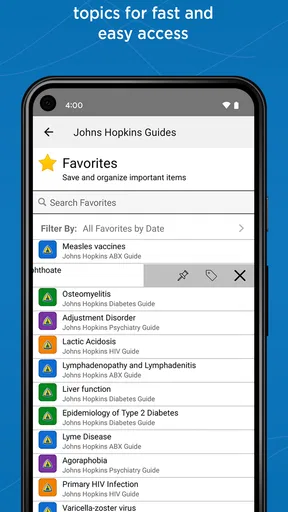
One of the features I absolutely love is the search functionality. Whether you're looking for a specific antibiotic or trying to match a drug to a particular pathogen, the search is swift and accurate. This is a lifesaver when you’re in a rush or need to check something quickly during a busy shift.
Looking up a question efficiently
For a more deliberate workflow, I would start with the question I actually need answered rather than browsing every section. If I know the organism, searching from the pathogen side can help frame which treatment details to review; if I know the medicine, starting with the drug entry can focus attention on administration and safety. Then I would move to the relevant guidance and confirm that the patient’s circumstances and local practice support the choice. This small habit helps prevent a quick search result from becoming an unexamined answer.
Search is most valuable when the terms are specific enough to narrow the field. If a query could refer to several organisms or clinical situations, I would treat the first result as a starting point and open the surrounding entry rather than relying on a snippet or a remembered phrase. In a busy setting, it is tempting to stop as soon as a plausible answer appears; with antimicrobials, checking the context is part of the lookup, not an optional extra.
Drug details need context
The app also includes detailed drug monographs. These are not just skim-the-surface summaries but comprehensive entries that cover everything from dosage and administration to adverse effects and drug interactions. It's like having a mini-pharmacology textbook in your pocket, which is fantastic when you need to reference something without digging through pages of a book.
That depth is useful, but it also changes how I would use the app: a monograph is a reference to read selectively, not a substitute for reviewing the whole patient profile. A dose or interaction detail can be clinically important, yet its relevance depends on factors outside the entry. I would check the information against the patient’s allergies, current medicines, renal or hepatic considerations where relevant, and any local prescribing requirements. The guide can make those questions easier to remember; it cannot answer them without the clinical details.
For students, the same detail can support learning if used actively. Instead of memorizing isolated drug facts, compare how a medicine’s characteristics connect to the organisms and recommendations being considered. For an experienced clinician, the advantage is different: it can serve as a quick prompt to revisit an uncommon detail. In either case, the useful result is better-informed reasoning, rather than simply collecting more facts on screen.
Clinical Guidelines and Pathogen Insights
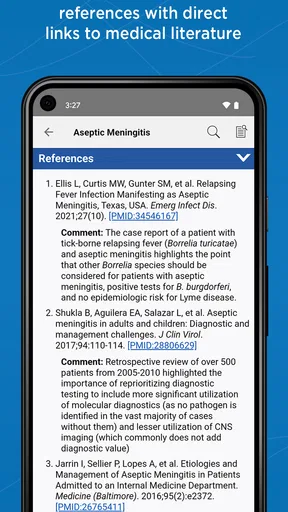
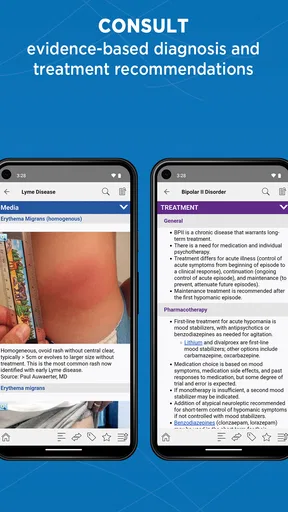
Another gem is the clinical guidelines section. It offers evidence-based recommendations for treating various infections, which can be incredibly helpful when faced with complex cases. The guidelines are frequently updated, ensuring you're always working with the latest information.
Guidelines are most helpful when I read them as a framework and then ask what might change the recommendation for this particular patient. A clinician may need to consider the suspected site of infection, severity, test results, prior treatment, and local practice before applying a general recommendation. In complicated cases, the guide is a useful way to organize the next questions, but it should not be treated as a case-specific consultation or as a replacement for specialist input.
For a routine shift, I would use the reference differently from a formal teaching session. During a quick check, I would identify the relevant recommendation and the safety details that affect the immediate decision. Later, when time allows, I would follow the links between the guidance, drug information, and pathogen material to understand why the pieces fit together. That second pass can be more valuable for retaining the reasoning than repeatedly looking up the same answer in isolation.
Plus, the app provides detailed insights into pathogens. Each entry includes information on the organism's characteristics and susceptibility patterns, which is crucial for selecting the right antibiotic treatment. This can make all the difference in patient outcomes.
Susceptibility information should prompt careful interpretation rather than a one-size-fits-all choice. The actual result for a patient, the local resistance picture, and the clinical setting can all matter. I would use pathogen material to sharpen the questions I take to a lab result or institutional resource, not to assume that a general description predicts what an individual culture will show. That distinction is one reason the app works best in the hands of someone trained to interpret clinical information.
Usability and Accessibility
The usability of the app is a big win in my book. Navigation is intuitive, and the layout is logical. The information is organized in a way that makes it easy to find what you need without any hassle. Plus, the app supports offline access, so you’re not left stranded if you’re in a location with poor internet connectivity.
Offline access is particularly helpful in settings where a connection is unreliable, but it is worth thinking about when and how the reference is refreshed. I would make sure the material I need is available before a shift or a trip into a low-signal area, rather than assuming every update or service works without a connection. That simple preparation is a practical trade-off: offline access reduces dependence on connectivity, while a clinical reference still needs to be kept current and used alongside applicable local guidance.
The app is free to download, but the trial and paid items mean that “free” does not necessarily mean every reference section is included indefinitely. If I were deciding whether to keep it, I would first test the topics I actually consult and note which ones are accessible without a purchase. That is more useful than judging the app by the download price alone, particularly for someone who needs a specific subject area for work or study.
One thing to note, though, is that the app is primarily designed for healthcare professionals. So, if you're not in the medical field, some of the jargon and content might be a bit dense. However, for those of us who are, it’s a goldmine of information.
For a new user, I would spend a few minutes learning how the main sections relate to one another before needing the app under time pressure. Knowing whether to begin with a drug, a pathogen, or a guideline makes later searches more deliberate. I would also avoid treating a polished, easy-to-navigate screen as proof that every answer is simple: the interface can reduce friction, but antimicrobial decisions remain dependent on judgment and context.
Who should keep it close—and who should not
I see the best fit as clinicians, trainees, and other healthcare workers who need a portable way to revisit antimicrobial information. A student can use it to connect drug properties with pathogens and treatment reasoning; a clinician can consult it when a less familiar question arises during a shift. The app is less compelling for someone who already relies on a trusted institutional system that covers the same topics and is required for their workplace. In that case, the local resource should take priority when its recommendations differ.
I would skip it as a treatment guide if I were a patient trying to decide whether to start, stop, or change an antibiotic. The right choice depends on diagnosis and individual circumstances, and a professional reference can be easy to misread without training. For that purpose, a conversation with a healthcare professional is a safer and more useful alternative. The same applies to a caregiver seeking urgent advice: a reference app should not delay contacting appropriate care.
Final Thoughts
In a nutshell, the Johns Hopkins Antibiotic Guide is a robust tool for healthcare professionals. It combines comprehensive drug information, clinical guidelines, and pathogen data in one easy-to-use package. It’s perfect for anyone who needs quick, reliable information on antibiotics, whether you're in the hospital, clinic, or even studying at home.
If you haven’t tried it yet, I highly recommend downloading the app and exploring its features. It might just become one of your go-to resources in your medical toolkit. Happy prescribing!
My recommendation is specific: if antimicrobial questions come up often in your clinical work or study, try the reference and see whether its coverage fits the way you make decisions. It is free to download, carries an Everyone age rating, and its current version is 2.8.49; the app first appeared on January 20, 2016. I would still check the trial’s scope and any purchase requirements before building a routine around a particular section. If you need patient-specific advice, local resistance guidance, or a comprehensive institutional decision tool, use the appropriate clinical resource alongside it. For a trained user who wants a compact, focused reference, that balance makes it worth exploring.
Verdict
Strengths of Johns Hopkins Antibiotic Guide
- Comprehensive antibiotic database.
- Regularly updated with new data.
- User-friendly interface and design.
- Offline access to key features.
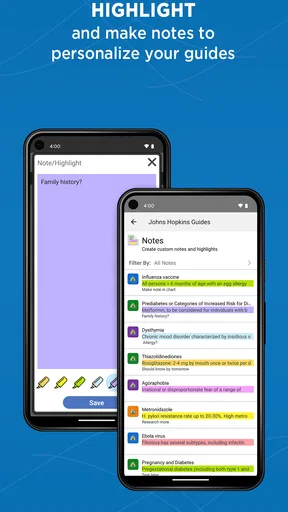
- Customizable search filters.
Limitations of Johns Hopkins Antibiotic Guide
- Requires subscription for full access.
- Limited to English language only.
- Large app size may affect storage.
- No direct contact for support.
- Not available on older devices.
Other Releases by Unbound Medicine, Inc
View All
DSM-5-TR Differential Dx
Medical4.4

Nursing Central
Medical4.8

Davis's Drug Guide
Medical4.8

5-Minute Clinical Consult
Medical4.6
Similar Picks in This Category
View All
WebMD: Symptom Checker
WebMD, LLC4.1

Microphone Amplifier
DOSA Apps4.2

Anatomy Learning - 3D Anatomy
3D Medical OU4.5

Period Tracker and Calendar
SimpleInnovation4.9

GoodRx: Prescription Coupons
GoodRx4.8

CVS Health
CVS Pharmacy4.5
Frequently Asked Questions
What is the Johns Hopkins Antibiotic Guide?
The Johns Hopkins Antibiotic Guide is a comprehensive app designed to provide healthcare professionals with the latest information on antibiotic treatments. It offers detailed guidelines, dosing recommendations, and evidence-based practices to effectively manage infectious diseases. The app is regularly updated to ensure users have access to the most current data.
Is the Johns Hopkins Antibiotic Guide suitable for non-medical users?
While the Johns Hopkins Antibiotic Guide is primarily intended for healthcare professionals such as doctors, pharmacists, and medical students, it can also be informative for non-medical users with a keen interest in medical information. However, it is important to interpret the content with caution and seek professional medical advice when needed.
How frequently is the app updated?
The Johns Hopkins Antibiotic Guide is frequently updated to reflect the latest research and guidelines in infectious disease management. Updates ensure that healthcare professionals have access to current information, helping them make informed decisions in clinical settings. Users should enable notifications to stay informed about the latest updates.
What features does the Johns Hopkins Antibiotic Guide offer?
The app provides an extensive range of features, including detailed antibiotic guidelines, dosing calculators, drug interaction checkers, and pathogen-specific treatments. It also offers search functionalities and offline access, making it a valuable tool for quick reference in clinical environments where internet access may be limited.
Is there a cost associated with using the Johns Hopkins Antibiotic Guide?
The Johns Hopkins Antibiotic Guide may require a subscription or a one-time purchase to access its full range of features. Pricing details can vary, so it's recommended to check the app store for the latest information. Some features might be available for free, but premium content typically requires payment.
